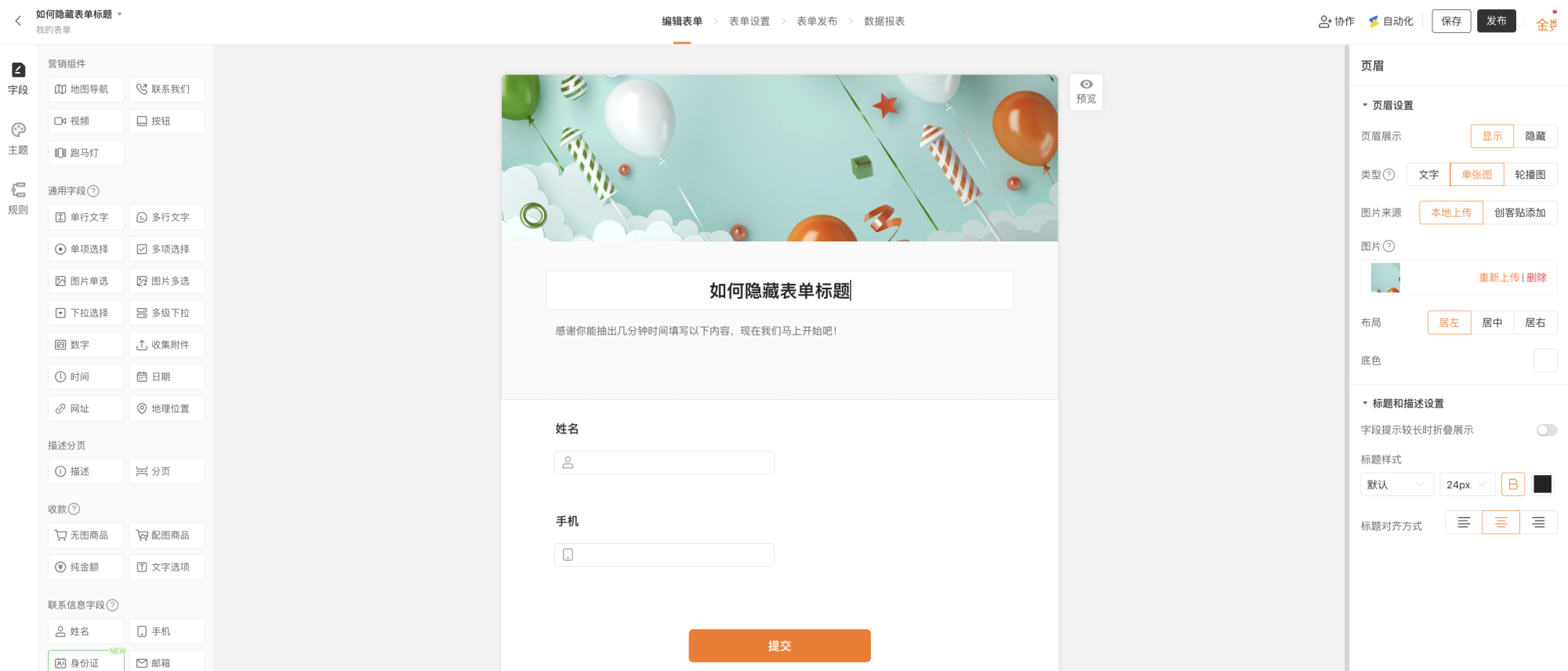
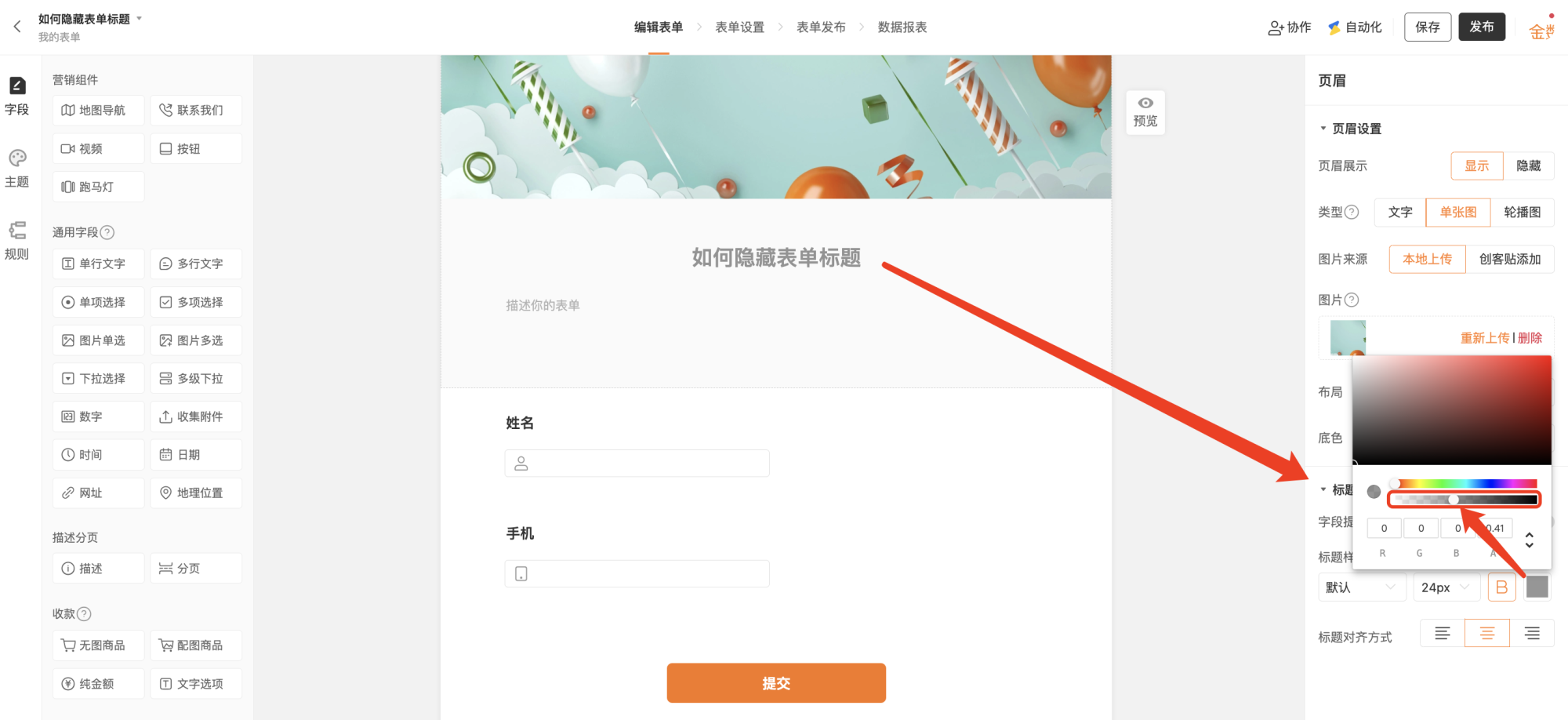
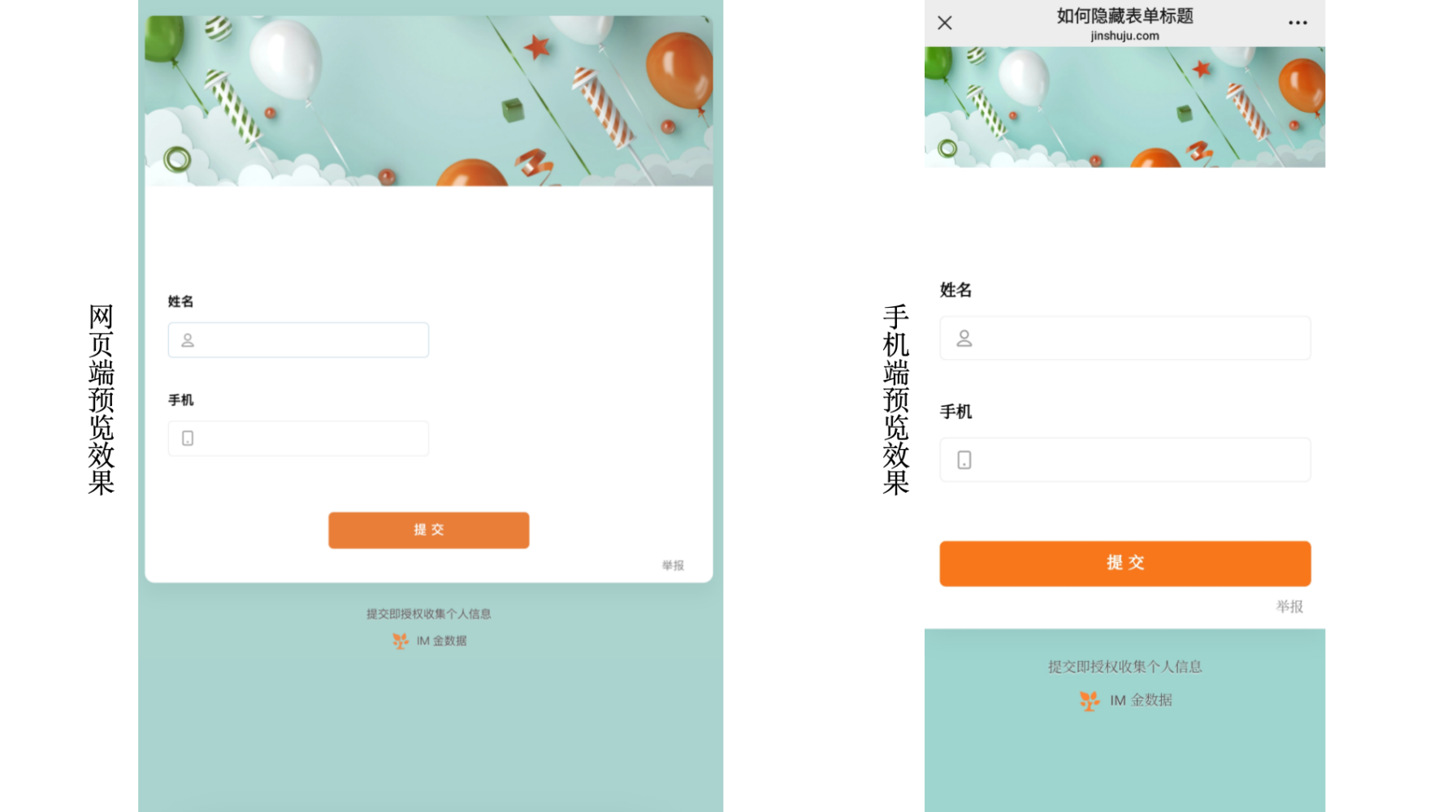
通过调整标题透明度隐藏表单标题当需要页面更加简洁或嵌入式展示时,可设置表单标题显示透明,以此达到隐藏标题的效果。复制 Markdown打开设置方式 PC 端进入表单编辑页面,点击标题。 表单编辑页面点击标题进行「标题和描述设置」 编辑页面右侧「标题和描述设置」,将文字颜色设置为全透明状态(将框选位置的小圆圈拉到最左侧)。 在「标题描述设置」中设置字体透明度为最低 效果展示 透明度降低后表单在 PC端 和 移动端网站的展示样式管理表单当表单数量较多需要分类管理时,可为表单添加标签,通过标签筛选和查找表单。创建第一张表单并收集数据当新用户需要创建第一个表单时,可查看表单创建的基本流程和操作步骤。